Storm Window
Activity-aware outdoor risk planning, at a glance.
Know when it is safest to walk, run, ride, work, boat, swim, or head outside as environmental risks change throughout the day.
Location powers local guidance, maps, widgets, and alerts. Backend features use a coarsened forecast grid, not precise GPS. See the Privacy Policy.
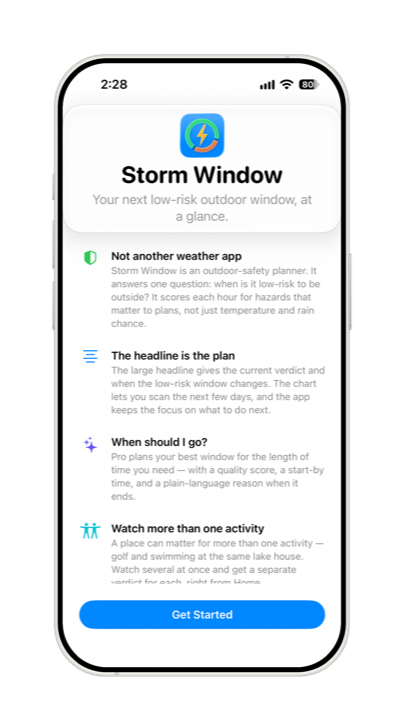
Storm Window isn’t another weather app. It answers one practical question: should I do my complete activity now, or is there a lower-risk time? Every user gets an activity- and duration-aware decision spanning lightning, storms, wind, heat stress, cold, air quality, official active alerts, and other relevant hazards. Pro compares and optimizes when and where to go, while Pro+ can keep monitoring selected plans and alert you when conditions change.
How it works
Read the day by risk
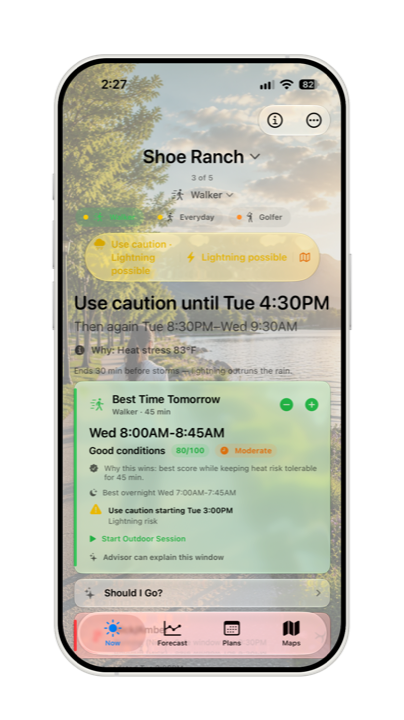
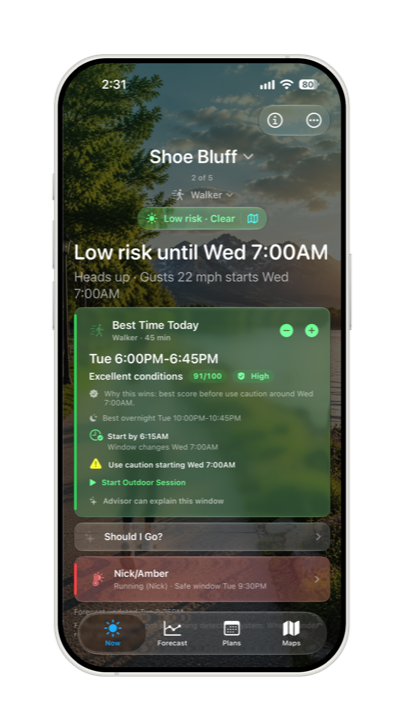
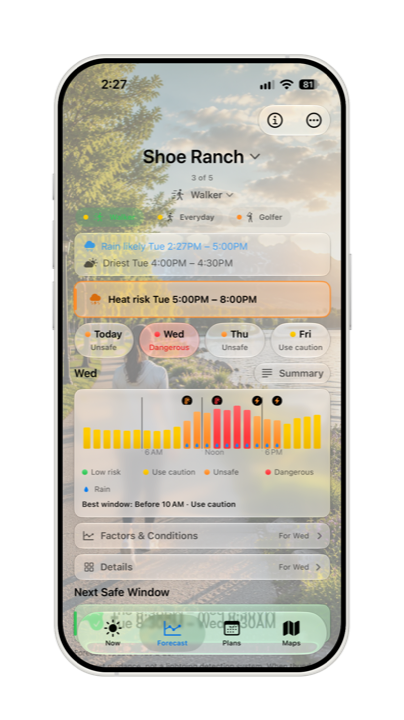
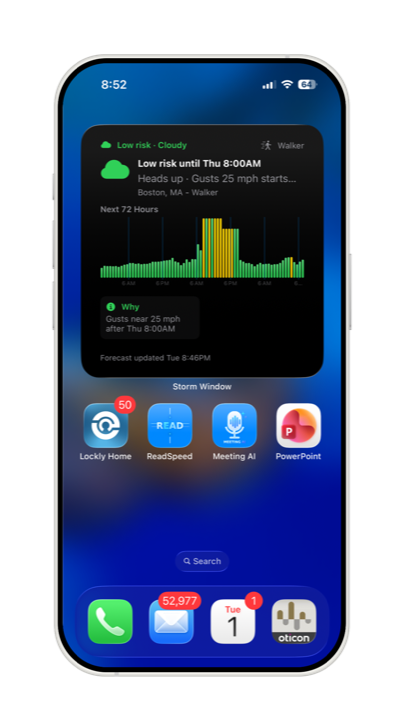
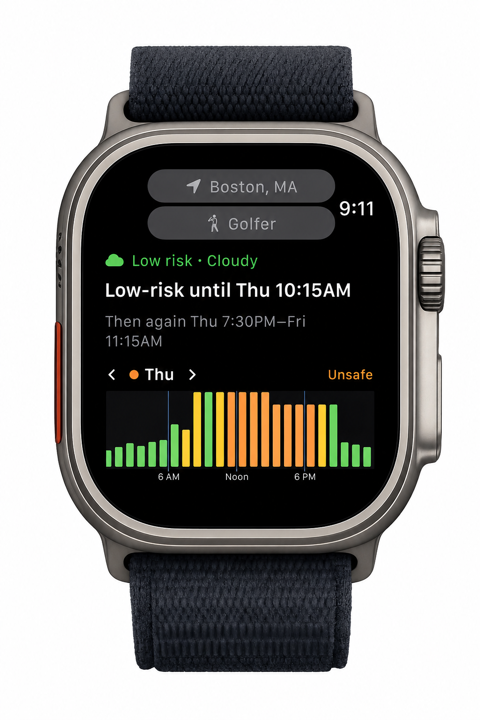
The home screen turns the next few days into hourly risk charts for Today, Tomorrow, and the next useful outlook day. Colors move from low risk to caution, unsafe, and dangerous, with advisory overlays when official alerts are more cautious than local conditions.
Understand what is driving it
Factors & Conditions separates the signals shaping the verdict from the context that helps you plan. Wind, heat, storms, air quality, marine conditions, temperature, precipitation, sky, UV, and comfort are organized into focused trend views.
Find the best time to go
Pro’s Best Time finds a window sized to your activity and duration, gives it a quality score, and shows when you should start by. Headlines stay plain: lower risk until a specific time, or a lower-risk opportunity opening later. An optional Prefer Dry Conditions setting can choose a drier window only when safety is comparable — it never overrides a warning.
Open maps when context matters
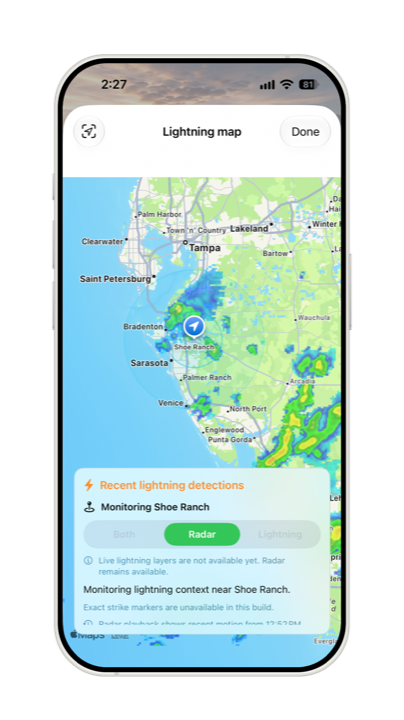
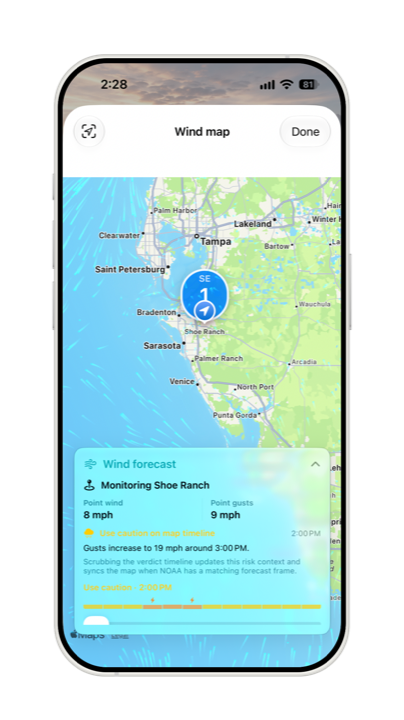
Lightning and Wind maps add situational context when nearby motion matters. Wind Flow is available to Pro users in supported U.S. HRRR coverage areas, while Storm Window’s point forecast and activity thresholds remain the safety source of truth.
Plan by activity and place
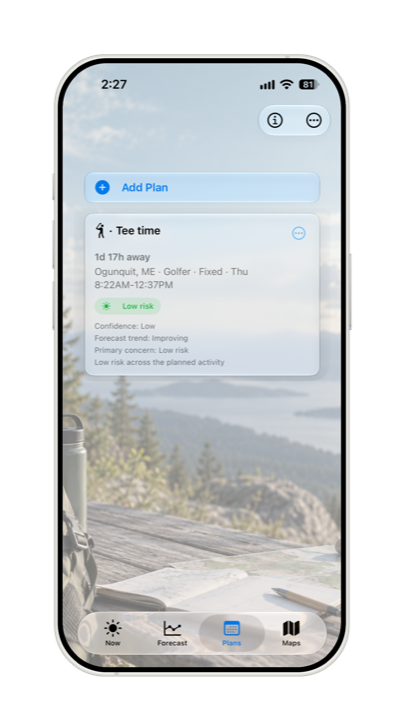
Activity-aware details keep the app focused on what matters for that outing. A lake house can watch golf and swimming separately, while beach, water, work, fitness, and family profiles surface different hazards.
Keep the answer close
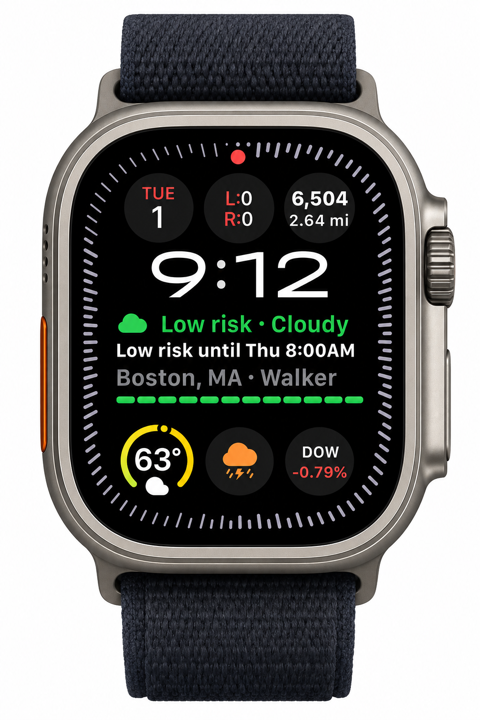
Widgets, the Apple Watch app and complications, Outdoor Sessions, notifications, and Pro+ guidance keep current risk, time remaining, future Plans, and forecast changes visible without digging through the app.
Who it’s for
Storm Window is built for people who make outdoor decisions around timing, exposure, and changing conditions.
- Walkers and runners
- Cyclists
- Golfers
- Boaters and paddlers
- Swimmers
- Beach days
- Parents with strollers
- Babywearing outings
- Outdoor workers
- Coaches and field sports
- Hikers
- Fishing trips
Storm Window Pro
Free includes every built-in activity profile, an editable duration, one basic Outdoor Session, and up to 2 watched activities at one saved location. Pro is for people who want custom profiles and plan across more activities, places, and devices.
- Best Time Today Finds a window sized to your activity and duration, with quality scoring, start-by guidance, an optional dry-conditions preference, and activity comparison.
- More activity control Adds custom activity profiles, Personal Profile tuning, advanced preferences, and up to 5 watched activities per location. Every built-in profile is already included in Free.
- Full condition analysis Unlocks full Factors & Conditions charts, per-hour details, driest-stretch highlights, and Risk Profile radar charts.
- More places and surfaces Adds up to 10 additional saved locations, up to 5 watched activities per location, location nicknames, widgets, complications, and Watch-local controls.
- Advanced map context Animated Wind Flow is available in supported U.S. HRRR coverage areas, alongside contextual other-location alerts.
Storm Window Pro+
Pro adds comparison, optimization, saved Plans, and scheduled reminders. Pro+ adds ongoing adaptive monitoring and Advisor explanations for people who want Storm Window to keep watching while they are not staring at the forecast.
- More monitoring capacity Watch up to 25 additional saved locations on top of Follow My Location, with unlimited watched activities per saved location.
- Proactive alerts Get window-change, best-window, next-window, briefing, and Plan forecast changed alerts when enabled.
- Future Plans Pin fixed or flexible outings beyond the normal 72-hour view, then track whether the outlook is improving, worsening, or shifting.
- Advisor guidance Ask why an hour was rated that way, why a window was chosen, whether you should go, what changed, or what the 3-day outlook means — or ask the forecast a question like “What if I start 45 minutes later?”, “When does the wind become safe?”, “Does Saturday have a lower chance of lightning?”, or “What activities are safe tomorrow afternoon?” and get the answer from your own forecast and your own activities.
- Sharing and automation Create shareable low-risk-window snapshots and Plan cards, with Siri, Shortcuts, and Control Center access to Plan status.
- Same deterministic source of truth Advisor explanations describe Storm Window’s calculated guidance; they do not replace the risk engine. Generated wording is used only on eligible paths and always has a built-in deterministic fallback.

Your location powers local guidance and alert timing. Backend features use a coarsened forecast grid, not precise GPS. See the Privacy Policy.
Legal & Support
- Quick Start A visual 3-5 minute tour of the Storm Window workflow.
- User Guide Task-oriented help for risk, activities, Forecast, Best Time Today, and Start by.
- Support Help, FAQs, and how to get in touch.
- Capabilities Free, Pro, and Pro+ comparison plus risk-factor roles.
- Apple Watch Watch app, complications, and location/activity behavior.
- Threshold Sources References behind Storm Window’s activity safety thresholds.
- Privacy Policy How Storm Window handles your data.
- Terms of Use Disclaimers, liability limits, and assumption of risk.
- License Agreement Apple’s Standard End User License Agreement (EULA).
- Contact Support Questions, feedback, or a bug to report? Email support@StormWindow.SiPhy.com.
Not a safety device
Storm Window provides forecast guidance and weather-risk context only. It is not a certified lightning safety system, emergency alert system, medical app, or guarantee of safe conditions. Do not wait for Storm Window: when thunder roars, go indoors.