Storm Window
Activity-aware outdoor weather planning, at a glance.
Storm Window isn’t another weather app. It answers one practical question: when is the lower-risk window to be outside? Every hour is scored for outdoor risk: lightning, storms, wind, heat stress, cold, air quality, official active alerts, and activity-relevant hazards. Pro can tune that scoring for specific activities. Then it tells you when a low-risk window closes and when the next safe window opens.
How it works
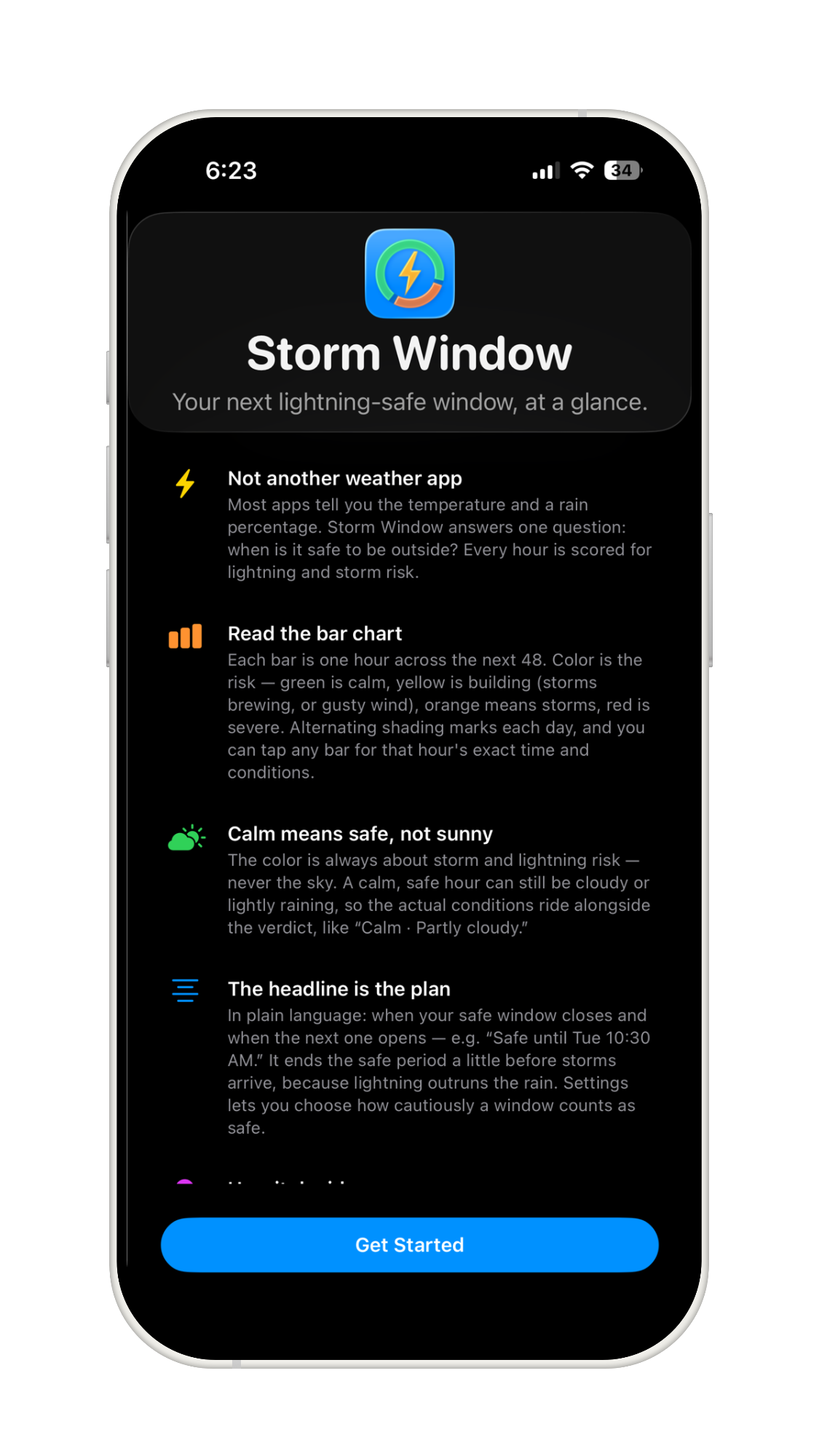
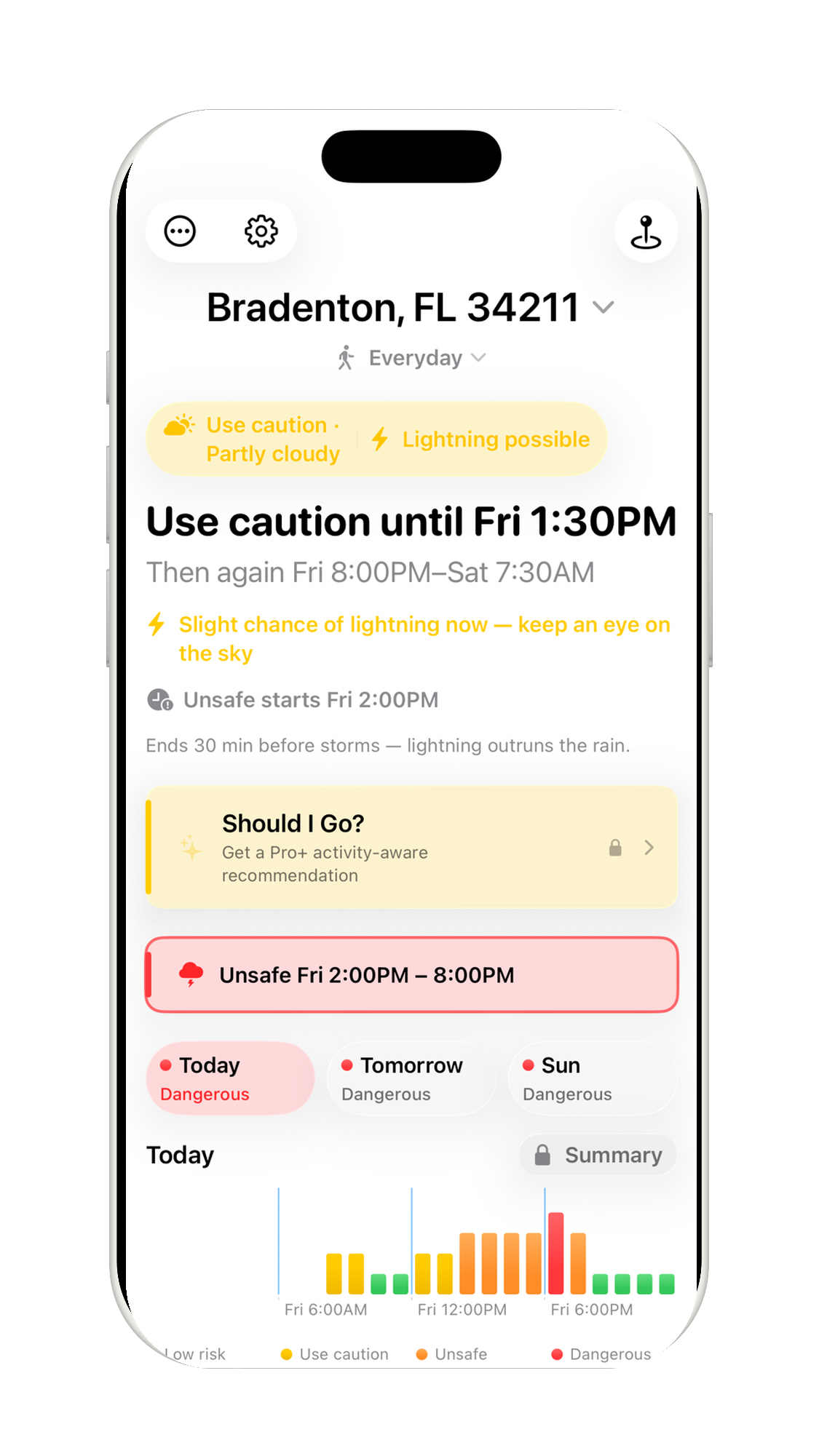
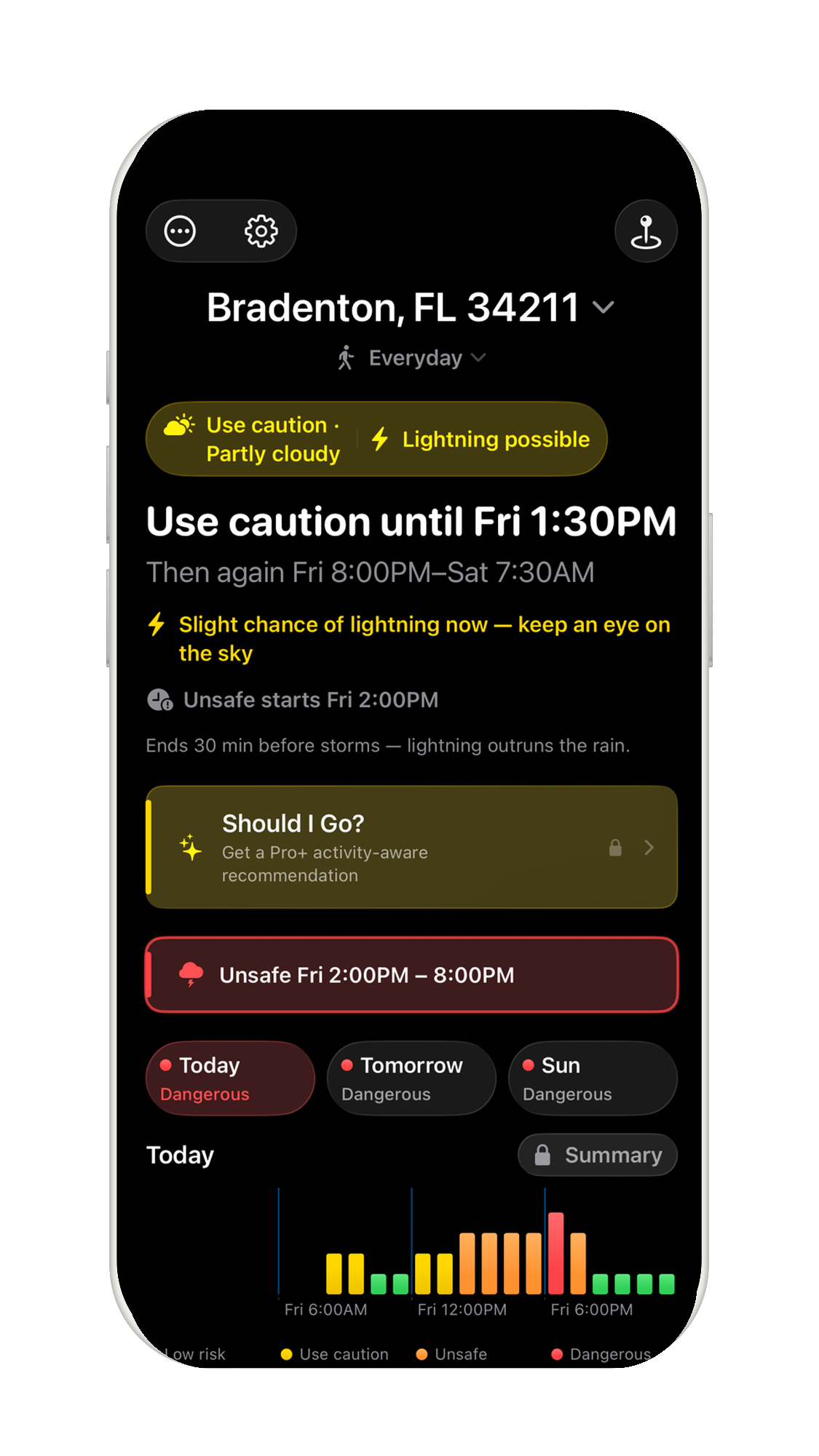
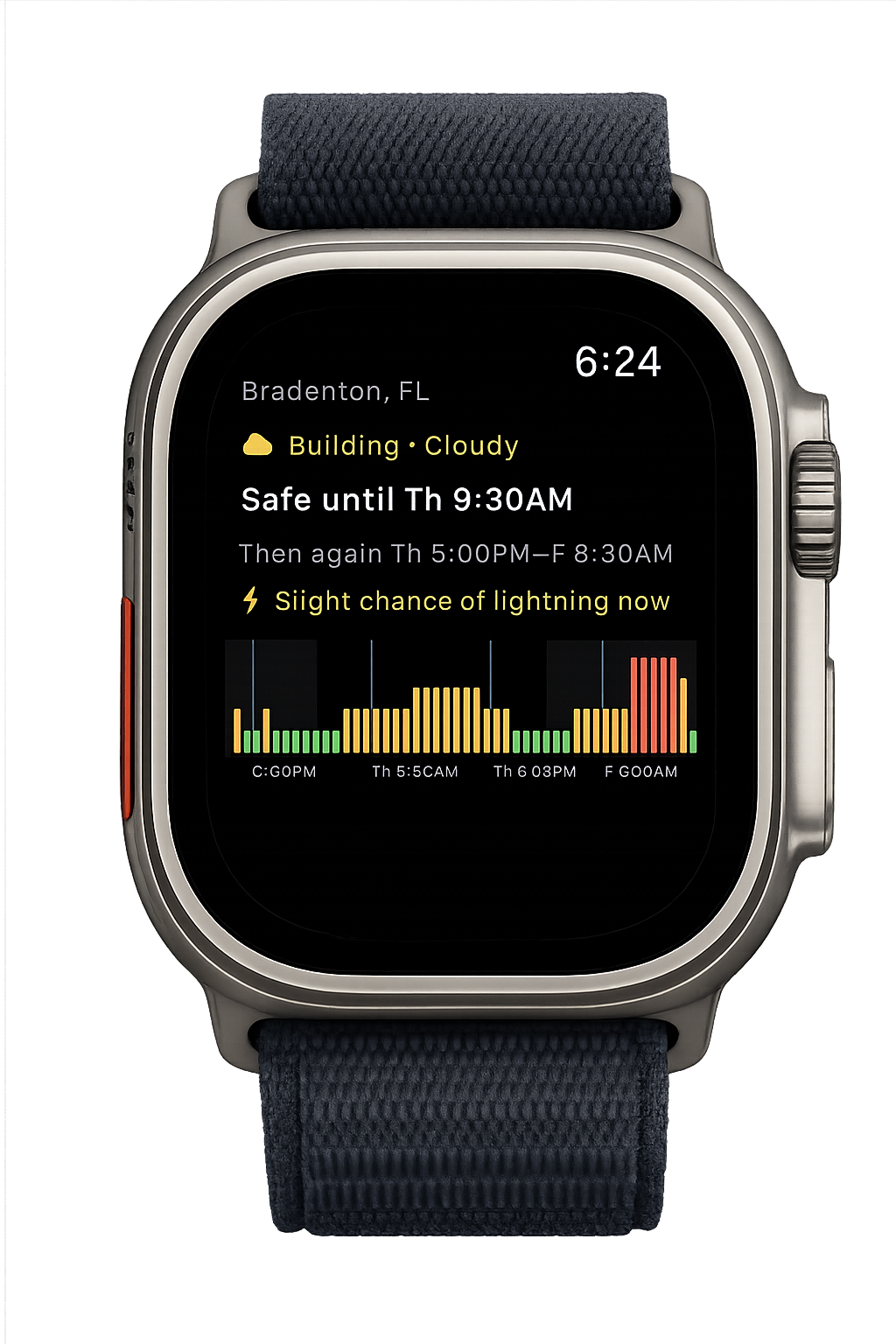
- Read the daily risk chart. The iPhone home screen focuses the same hourly outlook into Today, Tomorrow, and an additional following day when risk, lightning, or alert context makes it useful. Swipe left or right, or tap a day, to change the chart. Each bar or dot is one hour; green is low risk, yellow means use caution, orange means unsafe, and red is dangerous. When an official NWS alert is more cautious than matching local data, a thin overlay shows the advisory layer.
- The headline is the plan. Plain language like “Low-risk until Tue 10:30 AM” or “Safe window Tue 6:00 PM,” ending the low-risk period a little before storms arrive because lightning outruns the rain.
- More than a rain icon. It blends atmospheric instability (CAPE, CIN, and lifted index), rain chance, wind gusts, heat index, estimated WBGT-like heat stress, wind chill, air quality, and, in the US, National Weather Service thunder probability and active alerts.
- Activity-aware details. Beach and water profiles add wave height and sea-surface temperature. Heads-up cards and hour details are filtered by activity, so runners do not see water-only hazards that do not apply.
- Pro+ guidance. Apple Intelligence can explain an hourly rating, teach what each factor means, answer “Should I Go?”, summarize the 3-day outlook, and explain what changed since the last update while Storm Window’s deterministic risk engine remains the source of truth.
- At a glance. Home-screen widgets (small, medium, and large) and lock-screen widgets, plus Apple Watch complications, show your next safe window without opening the app.
- Stay informed. Free users can enable on-device imminent-hazard alerts for the active location. Pro adds advanced on-device Weather Alerts across saved locations, and Pro+ adds backend-delivered safety alerts, live lightning nearby alerts for Follow My Location, and trip alerts. General Storm Window updates remain separate opt-ins.
Storm Window Pro
Storm Window Free includes Everyday plus core fitness profiles for walking, running, and cycling, plus Stroller and Using a Baby Carrier profiles that add earlier heat, air-quality, cold, and lightning caution for outings with an infant or toddler. Storm Window Pro adds planning tools for people who check more than one place or activity: additional built-in profiles for hiking, golf, beach, pool, open-water swimming, boating, paddling, fishing, outdoor work, sports, and tactical training; custom activity profiles that start with an activity type and then show only relevant bounded tolerance controls; a shared Personal Profile for heat, estimated heat-stress, AQI, fitness, and sensitivity tuning; a driest-stretch highlight within the safe window; up to 10 saved locations; location nicknames; per-location widgets and Apple Watch complications; an other-locations ticker that shows cached conditions for your other saved places, most-urgent first; advanced on-device Weather Alerts; and full per-hour details with unavailable or irrelevant rows hidden. Pro is available as a monthly or annual auto-renewable subscription through the App Store.
Storm Window Pro+
Storm Window Pro+ adds Apple Intelligence guidance on supported devices, plus Trips, Trip forecast changed alerts, shareable low-risk-window snapshots, backend-delivered safety alerts, and live lightning nearby alerts for Follow My Location. With Apple Intelligence, tap an hour to understand why it was rated that way, tap individual factors to learn what they mean, ask “Should I Go?” for activity-aware current-period guidance, review why the forecast changed since the last update, or read a concise 3-day summary. Apple Intelligence explains Storm Window’s calculated guidance; it does not replace the deterministic risk engine or decide lightning, storm, heat, AQI, wind, marine, or official-alert risk. Every Pro+ feature still works on devices without Apple Intelligence — Storm Window automatically falls back to its own plain-language explanation of the same rating.
Trips let you pin a future date, time, and place to see today’s read on it, with an alert if the forecast for it worsens as it approaches. A trip doesn’t need to be one of your saved locations.
Legal & Support
- Support Help, FAQs, and how to get in touch.
- Capabilities Free, Pro, and Pro+ comparison plus risk-factor roles.
- Threshold Sources References behind Storm Window’s activity safety thresholds.
- Privacy Policy How Storm Window handles your data.
- License Agreement Apple’s Standard End User License Agreement (EULA).
- Contact Support Questions, feedback, or a bug to report? Email support@StormWindow.SiPhy.com.
Not a safety device
Storm Window provides forecast guidance and optional lightning-alert context only. It is not a certified lightning safety system, emergency alert system, medical app, or guarantee of safe conditions. Do not wait for an app alert: when thunder roars, go indoors.